
Showing posts with label google wave. Show all posts
Showing posts with label google wave. Show all posts
25 November 2009
Google Wave Invites
Any genealogists need a google wave invite? I've got 8. I'm only inviting family history researchers, so show me you're a genealogist and I'll send you an invite.


14 November 2009
Surfing Google Wave
So, I received an invite to Google Wave. I'm very curious to see what can be done in Genealogy with Google Wave. Well, I'm still not 100% sure how this might affect Genealogy, but I do know that it's pretty confusing to start with. I've been exploring for a little over an hour.
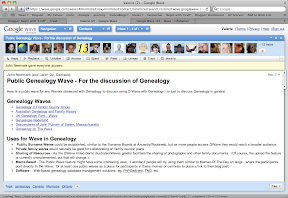 Although there are a number of "introduction to Google Wave" waves that newbies are automatically added to, I still had a lot of questions. So, I googled Google Wave. Here are a few helpful things I've learned so far:
Although there are a number of "introduction to Google Wave" waves that newbies are automatically added to, I still had a lot of questions. So, I googled Google Wave. Here are a few helpful things I've learned so far:- To find a wave, type "with:public" and your search term. For example, "with:public Genealogy" will find the genealogy waves.
- When you create a wave, add 'easypublic@appspot.com' to the wave. Google recommends adding 'public@a.gwave.com,' but I couldn't get that to work.
- Waves show up in your "inbox" just like email messages. When there's a new post, a number is added next to the wave's title. You'll have to click on every post (AKA blip) in a wave to get this number to go away, or click "read" at the top of the wave. Easily navigate each blip in a wave by utilizing your up and down arrow keys.
- You can expand a wave to take up the whole screen by hitting the maximize button on the top right of the wave's box.
- Also, you can click the minimize button to send the entire box up to the top of the screen onto a toolbar like area. It'll work like a pull-down menu now.
- You can add maps, photos and gadgets to blips. Start a new blip and then utilize the options on the toolbar that appears.
These are just a few things that I've noticed so far. I'm sure there are a lot of other features that I've yet to discover.
Subscribe to:
Posts (Atom)
LinkWithin
